 SkinForge
Batman Minecraft Skins
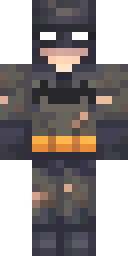
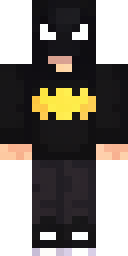
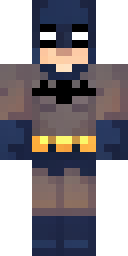
Embody the legendary Dark Knight with a Batman Minecraft skin. This iconic character is instantly recognizable by his pointed cowl, flowing cape, and utility belt. The classic color scheme often features dark grey and black, sometimes with blue accents, reflecting his vigilant nature. Players who enjoy embodying justice and mystery will find this skin perfect for their adventures. Choose a variant that highlights his armored plating or the distinct bat emblem to make your Batman truly unique.
4 skins · free download for Java and Bedrock · Legends category
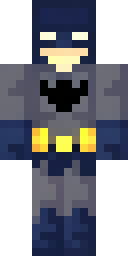
Make your own Batman skin
Want a different outfit, hair or color? Open SkinForge and describe it: "Batman with a red hoodie and sunglasses". The app forges a full skin in about 20 seconds and exports to Java or Bedrock.
DownloadApp StoreMovies and TV: more skins
All characters and themes →Questions
How do I get a Batman skin in Minecraft?
Pick one of the 4 Batman skins above and download it. Java Edition: open the Minecraft Launcher, choose Skins, New skin, and select the PNG. Bedrock and Pocket Edition: open the .mcpack and Minecraft imports it into the Dressing Room.
Are these Batman skins free?
Yes. Every skin on this page downloads free in both formats. They were made with SkinForge and published to the gallery.
Can I make my own Batman skin?
Yes. Open the SkinForge app, type what you want ("Batman in a black hoodie"), and it forges a new skin in about 20 seconds. You can also open any skin here and change it by chat.